










 Khuyễn mãi
 Ticket hỗ trợ
 Chat với tư vấn
 Thông tin liên hệ
 Tin tức từ vNode
 Chương trình Affiliate
 Đăng ký làm Affiliate
 Quản lý hoa hồng
 Lịch sử thanh toán
 Kế hoạch hoa hồng
Cài Đặt Website WordPress Lên VPS Chạy LEMP
Hướng dẫn thực hiện
1. Tạo database cho WordPress
Đăng nhập mysql
vNode Tutorial
mysql
Tạo Database
vNode Tutorial
CREATE DATABASE web_example_db DEFAULT CHARACTER SET utf8mb4 COLLATE utf8mb4_unicode_ci;
Tạo User và cấp quyền
Bạn có thể thay web_example_user bằng tên user mà bạn muốn tạo và thay phần password_cua_ban bằng mật khẩu của bạn
vNode Tutorial
CREATE USER 'web_example_user'@'localhost' IDENTIFIED BY 'password_cua_ban';
GRANT ALL PRIVILEGES ON web_example_db.* TO 'web_example_user'@'localhost';
FLUSH PRIVILEGES;
EXIT;
2. Tạo thư mục website
Tạo thư mục cho domain
vNode Tutorial
mkdir -p /var/www/example.com/public_html
Phân quyền
vNode Tutorial
chown -R www-data:www-data /var/www/example.com
chmod -R 755 /var/www/example.com
3. Tải và cài đặt WordPress
Di chuyển vào thư mục của website
vNode Tutorial
cd /var/www/example.com/public_html
Tải WordPress từ trang chính thức -> giải nén file vừa tải về -> chuyển tất cả code của WordPress vào trong thư mục của website -> xóa thư mục wordpress vừa giải nén và file nén đã tải về
vNode Tutorial
wget https://wordpress.org/latest.tar.gz
tar -xzf latest.tar.gz
mv wordpress/* .
rm -rf wordpress latest.tar.gz
4. Cấu hình VirtualHost cho website
Tạo file VirtualHost
vNode Tutorial
nano /etc/nginx/sites-available/example.com
Nội dung cấu hình
vNode Tutorial
server {
    listen 80;
    server_name example.com www.example.com;

    root /var/www/example.com/public_html;
    index index.php index.html;

    location / {
        try_files $uri $uri/ /index.php?$args;
    }

    location ~ \.php$ {
        include snippets/fastcgi-php.conf;
        fastcgi_pass unix:/run/php/php8.1-fpm.sock;
    }

    location ~* \.(js|css|png|jpg|jpeg|gif|ico|svg|woff|woff2)$ {
        expires max;
        log_not_found off;
    }

    location ~ /\. {
        deny all;
    }
}
Sau khi dán bấm Ctrl + X -> Y -> Enter để lưu và thoát
Kích hoạt file VirtualHost
vNode Tutorial
ln -s /etc/nginx/sites-available/example.com /etc/nginx/sites-enabled/
Kiểm tra và reload Nginx
vNode Tutorial
nginx -t
systemctl reload nginx
5. Cài đặt WordPress qua trình duyệt
Truy cập domain để setup website wordpress
vNode Tutorial
http://example.com
Điền thông tin database đã tạo trước đó
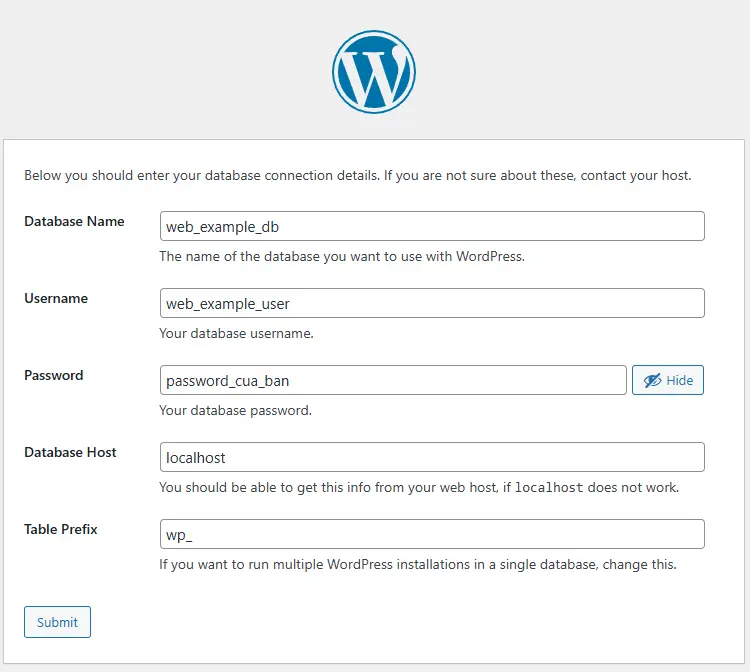
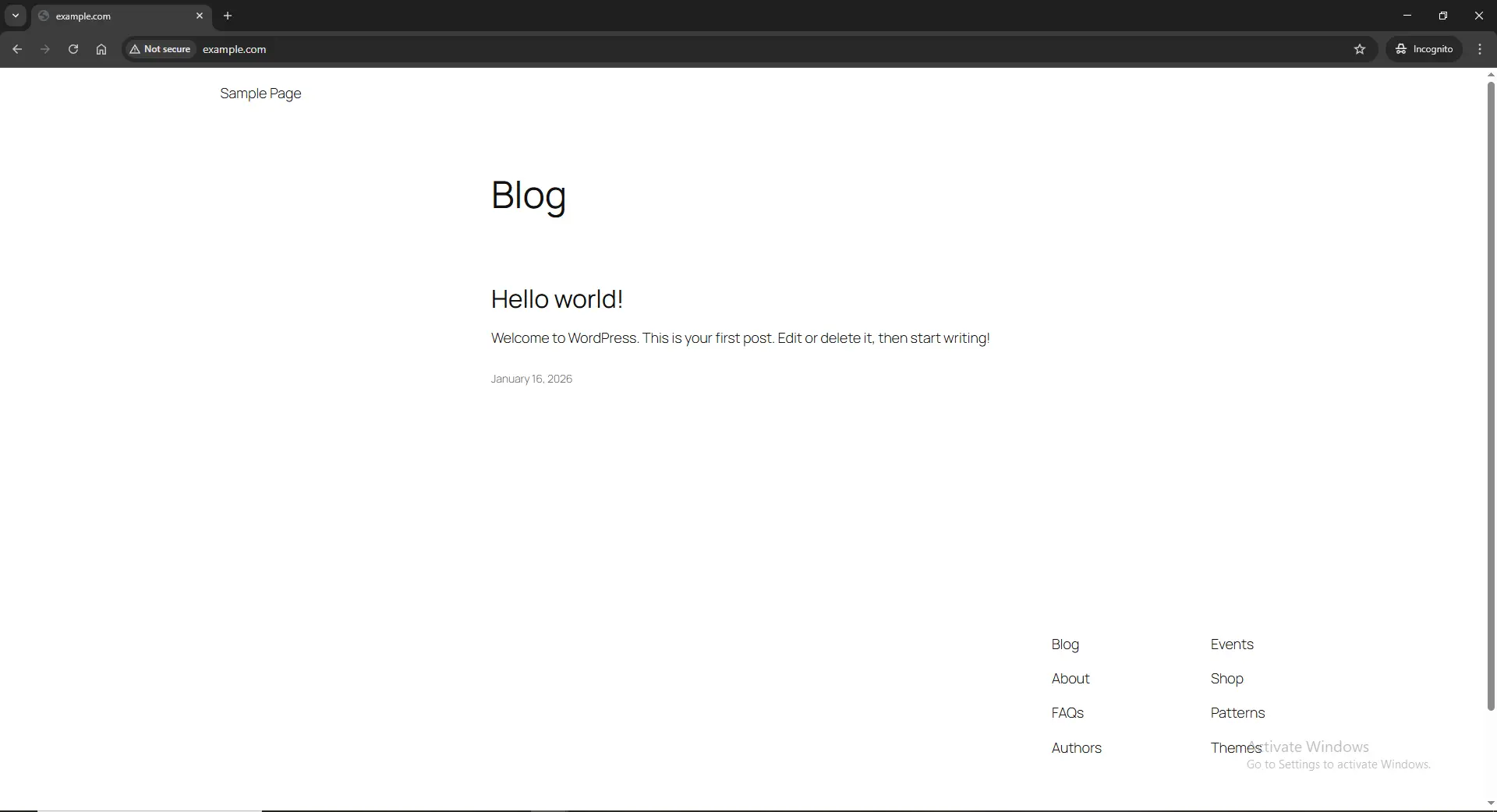
Sau đó các bạn điền thông tin để tạo WordPress. Sau khi tạo xong
Kết luận
Trong bài viết trên chúng tôi đã cùng các bạn cài đặt WordPress ở trên vps chạy LEMP. Chúc các bạn thành công